


A one-of-a-kind, visual planner for Instagram
As the first Instagram planning grid, Planoly leads the way in visually planning all of your social content. Easily upload content for your Instagram grid. Plus, easily drag & drop content to best fit your brand aesthetic.
Start 14-day free trial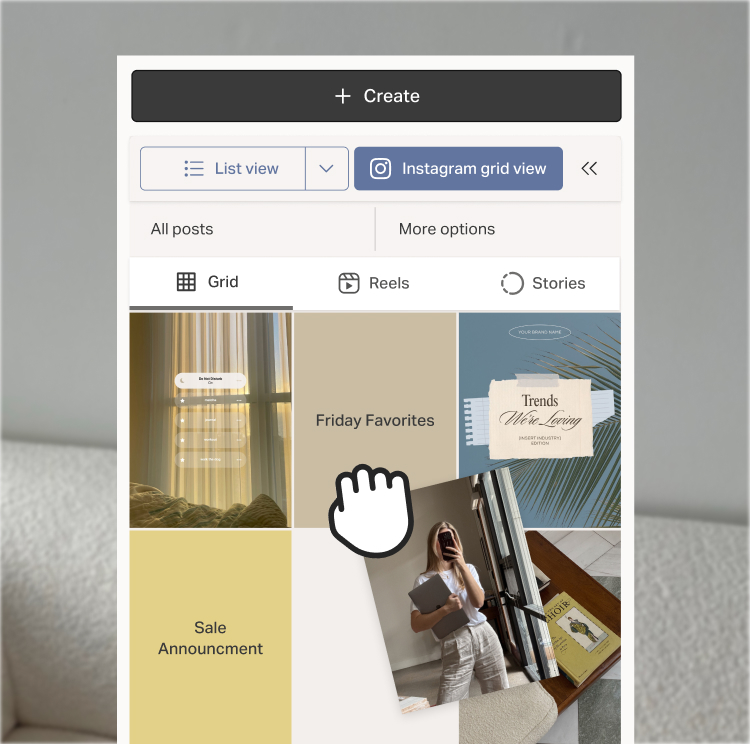
Visual planning features you’ll love
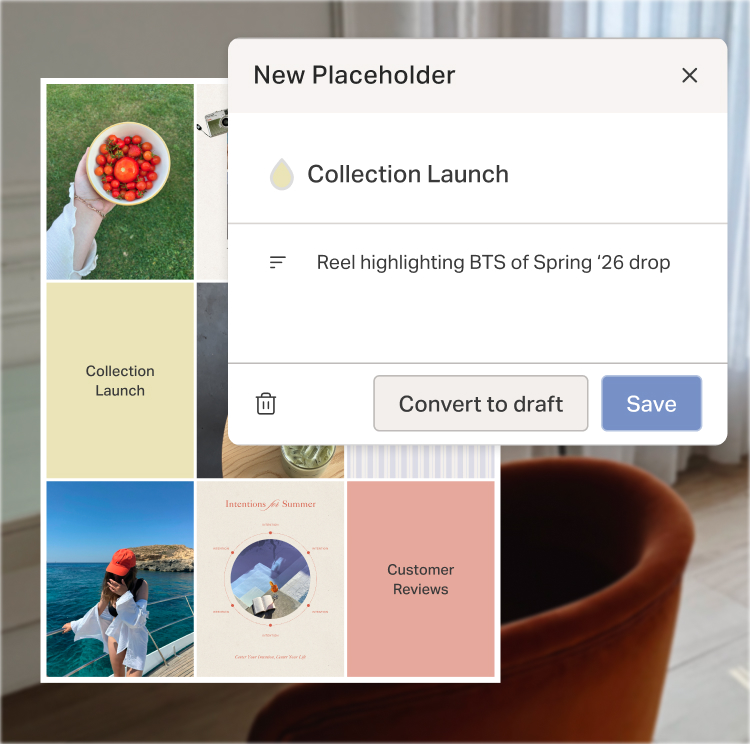
Placeholders
Set recuring placeholders on your calendar to visualize your monthly content strategy. And when your content is ready, easily convert placeholders to post drafts.

Drag and drop
Drag and drop on the Planoly calendar, in your grid, and more.
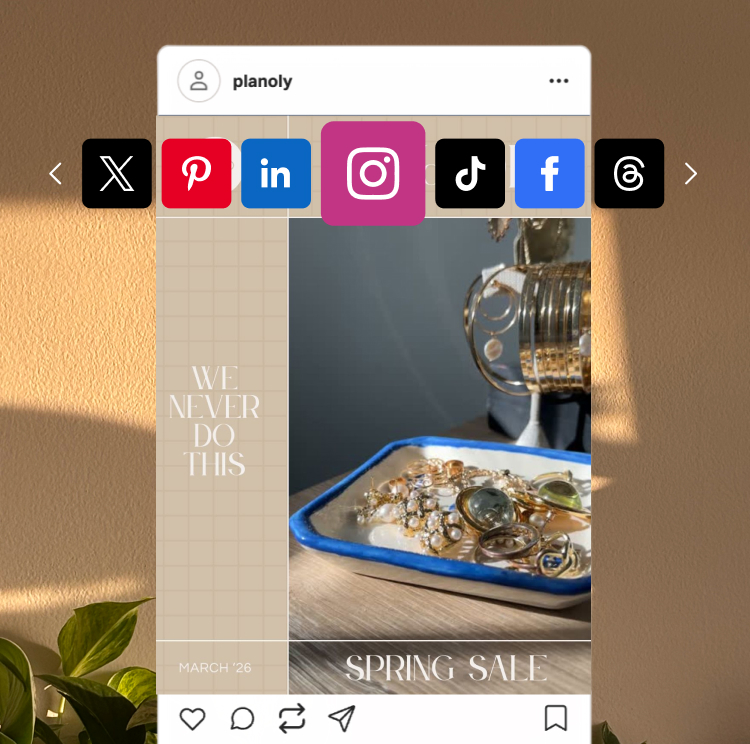
Post previews
Preview your content on each platform before scheduling.
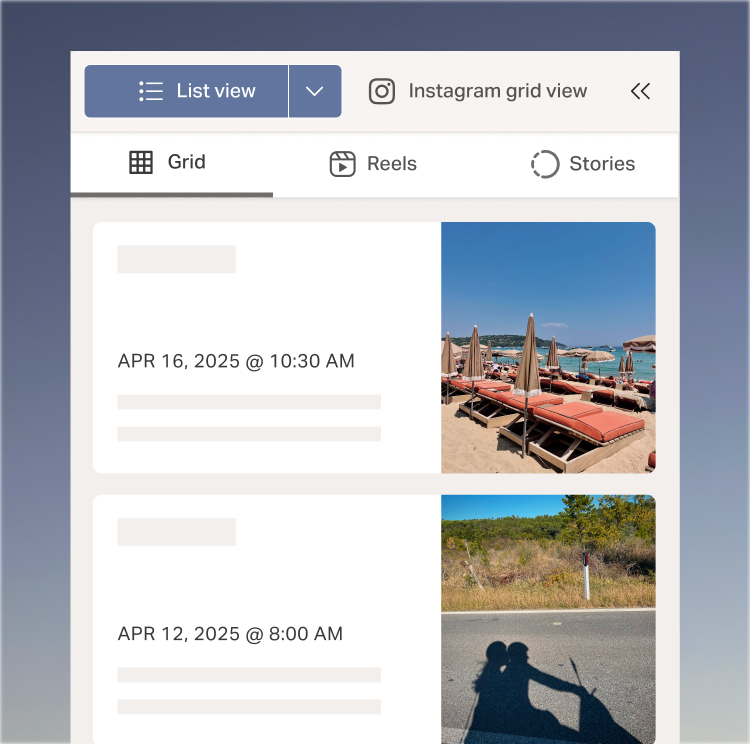
dashboard customization
Choose between list, gallery and grid view and customize your calendar colors to your brand aesthetic.
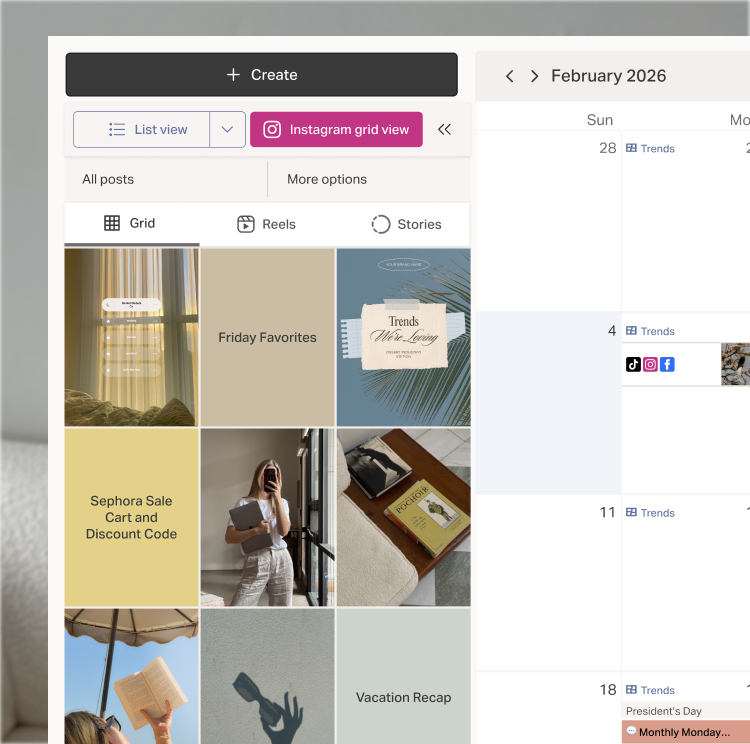
Visually plan all your Instagram content
Learn moreUpload all of your Instagram content into Planoly and easily drag and drop it into your planning grid. When you’re ready to schedule, pick a date and auto-post.
You can schedule grid posts, carousels, Reels and even stories in Planoly.
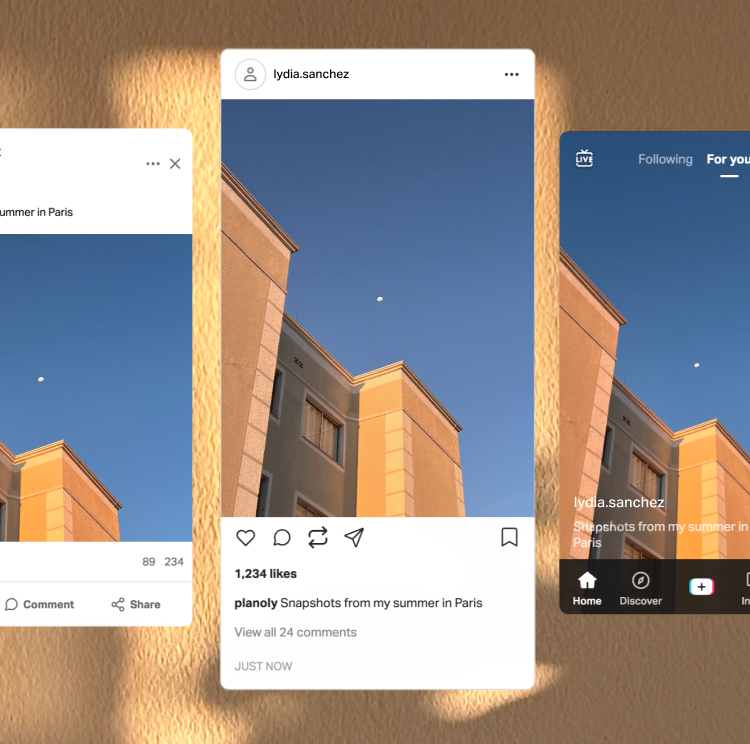
Preview posts and customize content by channel
Learn moreReshare content across your social channels, customize the captions and schedule on different days. Preview how the content will look in each channel before scheduling.
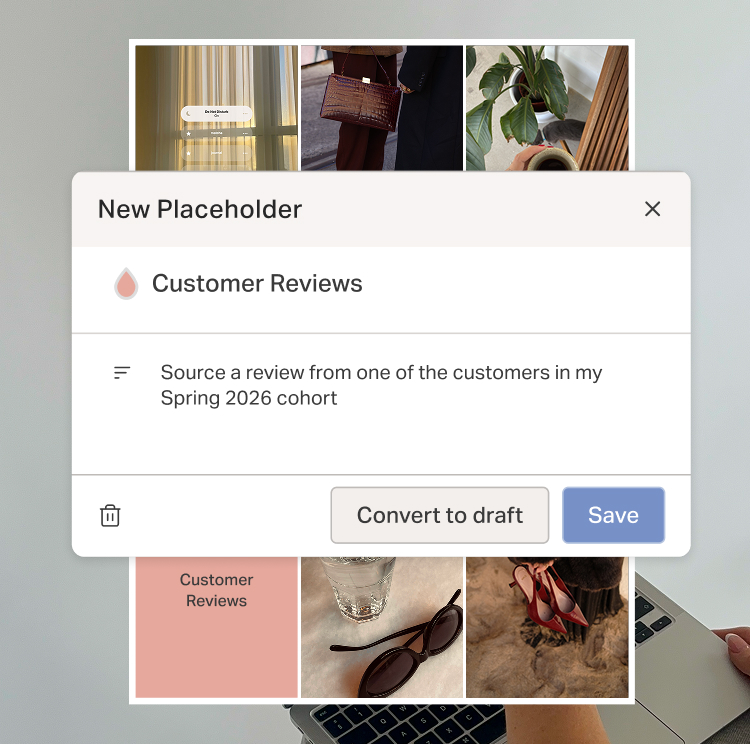
Plan your Instagram grid before you have the content
Learn morePlaceholders allow you to easily save space in your grid for future content. Set recurring placeholders on your calendar to visualize your monthly content strategy, then convert placeholders to drafts when you’re ready to post.
Customize your dashboard and calendar view
Learn moreMake your Planoly dashboard fit your aesthetic. Choose between list, grid or gallery view to visualize your content, select calendar customization and even pick the colors for notes and placeholders. Customize your workspace to make your content shine.
Social media has changed.
Your tools should too.
Take your creator business to the next level
Get started